Know exactly what changed.
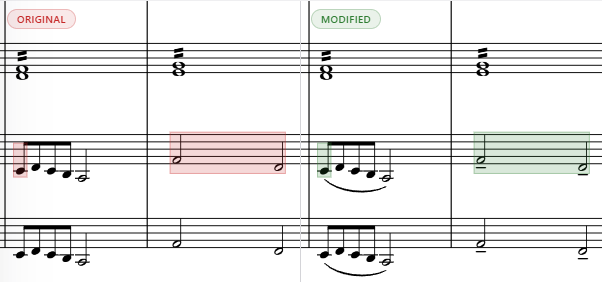
Git-backed history and visual score comparison keep every revision readable, recoverable, and in musical context.
Write, refine, review, and publish in one connected notation workspace. Viritura keeps the music coherent while the work around it keeps moving.
Open score format · Git-backed projects · Built for the browser
Revisions, feedback, and parts often split into separate files and conversations. Viritura keeps them anchored to the same music.
Git-backed history and visual score comparison keep every revision readable, recoverable, and in musical context.
Live rooms, shared presence, and selections keep feedback attached to the passage instead of scattered across messages.
Full score, condensed score, and part layouts stay connected to one musical source through rehearsal and export.
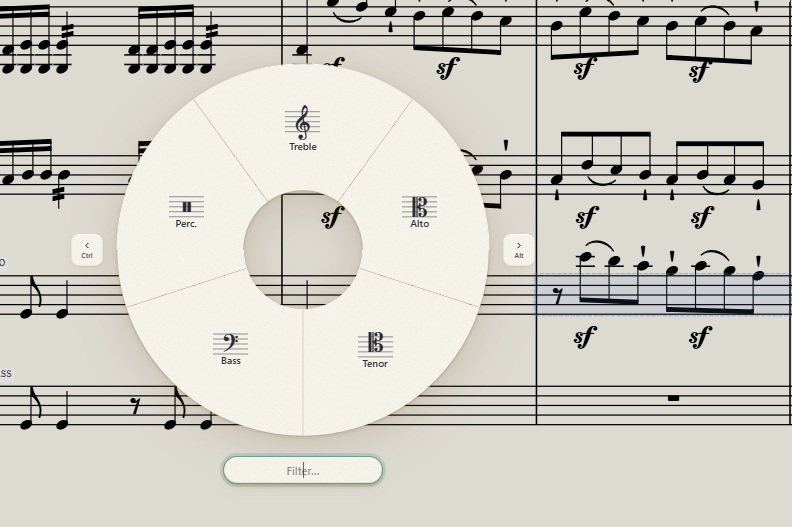
Notation is hundreds of small decisions made in sequence. Viritura keeps common commands near the selection, lets you filter directly to the exact marking, and gives repeated work a keyboard rhythm.
An industry first in music notation
Viritura’s bidirectional condensing lets you write directly into the condensed conductor score or an individual part. Every edit changes the same underlying music, so neither view becomes a disposable output or a disconnected copy.
Try bidirectional condensing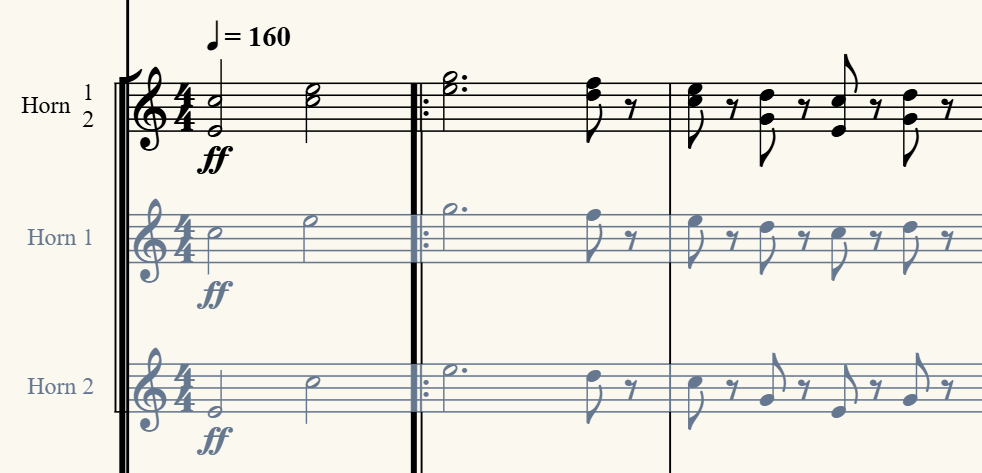
Stop translating musical changes through screenshots, filenames, and message threads. Viritura keeps review attached to the score.
Visual score diff and measure-level review make revisions legible in context.
Peer-to-peer live rooms carry shared editing and presence without separating feedback from the score.
Git-backed projects preserve drafts so creative decisions stay comparable and recoverable.
Live-room hosting currently requires a Chromium browser. Cloud-backed project sync remains in development.
Open format. Git-backed. No dead-end files.
From SCORE’s decline to Finale’s discontinuation, proprietary notation formats have repeatedly stranded musicians’ work.
Viritura stores scores as MNX, an open music notation format from the W3C Music Notation Community Group. Projects are git-backed, so access to your work does not depend on Viritura being the last app standing.
To support MNX adoption, Viritura provides interactive examples and browser-based tools covering the standard, Viritura extensions, and common engraving behavior. Explore Viritura’s MNX projects.
Open the editor in your browser and start blank, use a working sample, or import MusicXML. No download required.